
Model, tools and memory
Choose its model, attach the tools it can call and add memory when a conversation needs to continue. You define which resources it can use.
Orchestrate APIs, data processing and AI agents in one environment. Compose workflows visually, extend them with code and inspect every execution.
Build workflows from triggers, conditions and sub-workflows. The graph exposes dependencies and branches; each node retains its configuration.
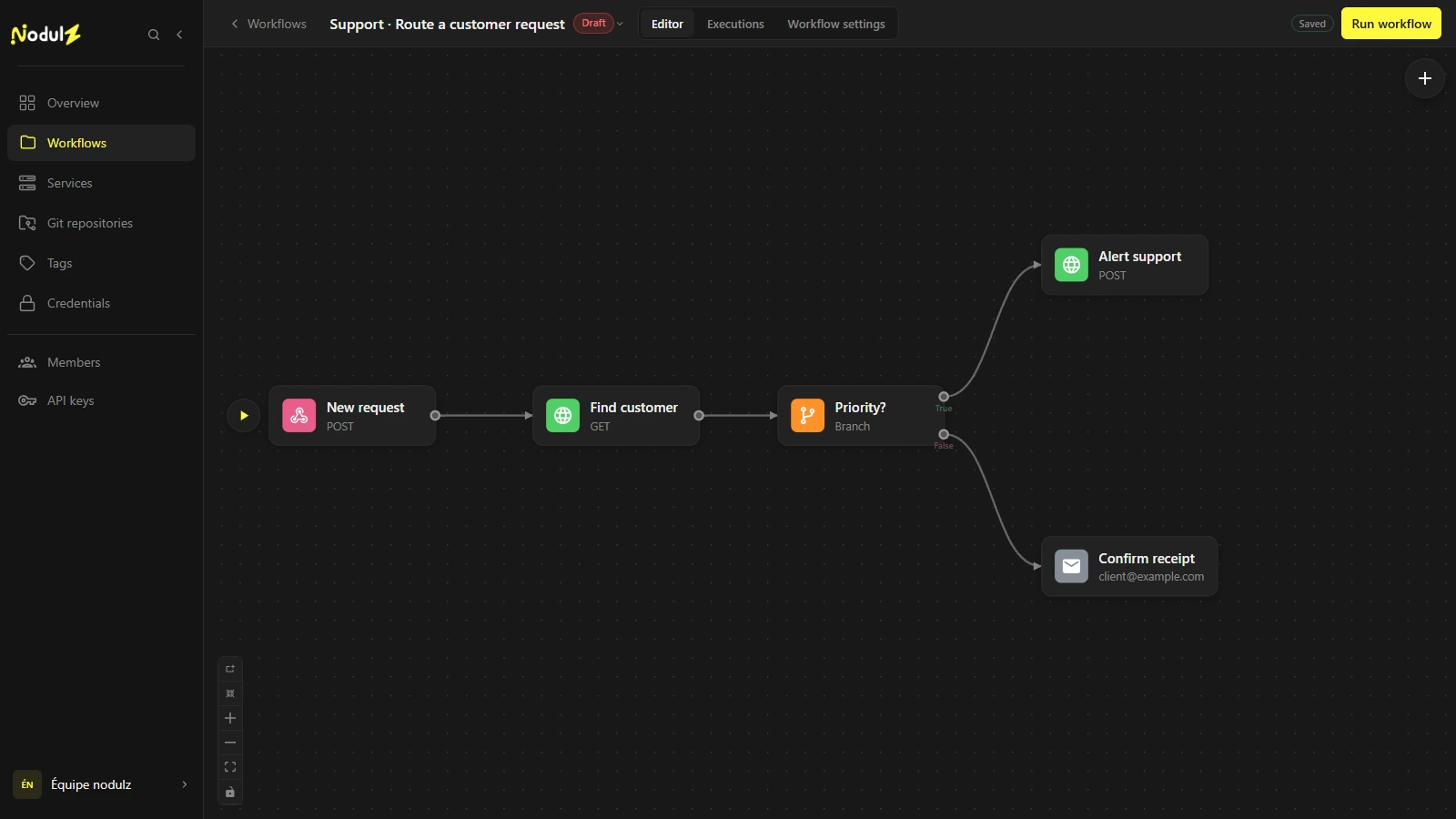
Webhook, schedule, Git event or manual execution. Connect processing steps, define conditions and reuse logic through sub-workflows.
Combine HTTP requests, database access and JavaScript or Python transformations. Your scripts can also come from a Git repository, be encapsulated in a container and run on the host, a remote Docker server or in Kubernetes. Their orchestration stays in the same workflow.
const records = input.map(record => ({
  ...record,
  status: record.status.toLowerCase()
}));

return records;[{ "status": "ACTIVE" }][{ "status": "active" }]Attach a model, tools and memory to an agent. Compose RAG pipelines with document loading, chunking and vector search.
Choose its model, attach the tools it can call and add memory when a conversation needs to continue. You define which resources it can use.
Load and chunk documents, then query a vector store to inject relevant passages into the agent context.
Execute a node, a chain or the entire workflow. Analyze inputs, outputs and logs in execution history, then configure retry policies.
{
  "destination": "support",
  "priority": "high"
}Invalid notification destination.
Execute a node with test input, a node chain or the full graph. Validate transformations and connections before a complete execution.
Inspect the path, results and logs of each node. Locate a failure and analyze the data received by the affected step.
Configure retries and failure behavior: stop, continue or handle the error within the workflow.
Deploy databases, caches and vector stores from the catalog. Configure instances on Docker or Kubernetes and use them in compatible nodes.
PostgreSQL · Docker
Redis · Docker
Qdrant · Kubernetes
Choose a database, cache or vector database, then a Docker or Kubernetes target. Configure your instance and its credentials from nodulz.
Check instance status and logs. Adjust configuration and trigger a redeployment from the same workspace.
Use your service instances in compatible nodes. Database and vector database connections integrate with your processing steps and AI agents.
Centralize workflows and services. Share resources with your team and control access through roles and permissions.
Factor out shared processing and call a workflow from multiple automations.
Manage workflow and service access through resource roles and permissions.
Guides and technical reference: coming soon at nodulz.com/docs.
Distribution coming soon.
From your first workflows to team collaboration, explore nodulz plans and licensing options.