
Your CI steps, in a readable workflow.
Start with a Git event, check out the repository and run your CI commands and checks before notifying the team.
For teams in development, DevOps and platform.
The day-to-day need.
Build and validation commands already exist, but their orchestration is scattered. Finding logs and understanding which step blocked the process requires several tools.
- Command order is hard to follow across scripts and manual tasks.
- A success notification should not precede the required checks.
- A build result should be traceable to the repository and Git reference used.
Example: validate a branch before delivery
An event on the tracked branch starts a repository checkout. Run your build commands, perform your checks and send a notification when the sequence completes.
- Without a workflow
- The team fetches a branch, runs commands and gathers logs before communicating the result.
- With nodulz
- A Git event starts checkout, commands and checks in that order; notification follows successful steps.
How nodulz solves the problem.
nodulz orchestrates your existing build tools. Repository and Git reference enter the workflow, then CI steps use the context prepared by checkout.
A shared Git context
The trigger selects events on the tracked branch. Checkout retrieves the relevant reference so subsequent steps work with the same content.
Your commands, in a visible order
Shell CI runs project commands such as preparation and build. CI verification runs required checks; their logs distinguish preparation errors from failed checks.
Communicate after validation
Discord follows the checks. The notification can reuse Git information to tie the result to the branch; configure failure handling according to your process.
From trigger to outcome.
Git · Checkout · Shell CI · CI verification · Discord
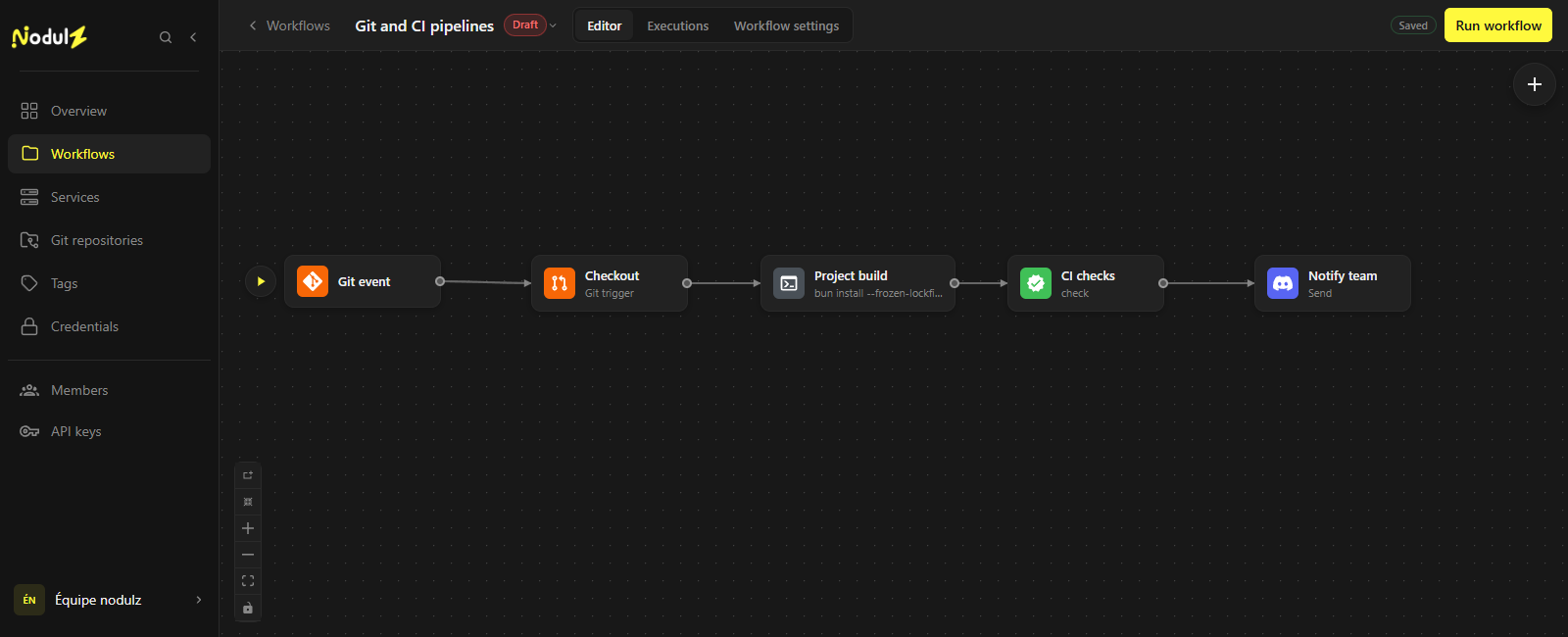
The Git context passes through build and validation before notification. Editor capture of an illustrative workflow that has not been executed.
Scroll the capture horizontally to follow the full workflow.
What happens at each step.
- 1
Git event
Select the repository, event and branch that start the workflow.
- Data used
- Repository, tracked branch and a push event in this example.
- What the step passes on
- Information about the Git reference to check.
- 2
Checkout
Retrieve the repository and reference to use for this run.
- Data used
- Repository and reference supplied by the trigger.
- What the step passes on
- A working context containing the relevant code.
- 3
Project build
Run your preparation and build commands in the repository context.
- Data used
- Checkout context and project commands.
- What the step passes on
- Logs and results from preparation and build commands.
- 4
CI checks
Run your team’s checks and inspect their results.
- Data used
- The same repository context and configured check commands.
- What the step passes on
- Check results and logs; subsequent steps depend on their success.
- 5
Notify team
Notify the team after the preceding steps succeed.
- Data used
- Git context and the successful workflow outcome.
- What the step passes on
- A notification identifying the branch and validated steps.
Example workflow: adapt connections, parameters and rules to your environment. The data shown is illustrative.
What this workflow brings.
Your team follows the sequence and reads CI step logs in nodulz. Commands stay specific to the project and the workflow exposes their execution order.
- Repository and Git reference as a common context.
- Explicit order between preparation, build and checks.
- Logs connected to the steps that actually ran the commands.
Keep control of the process.
Define Git permissions, commands and the build environment. Deployment is outside this example; add it after your checks if your process requires it.
Explore available nodes